
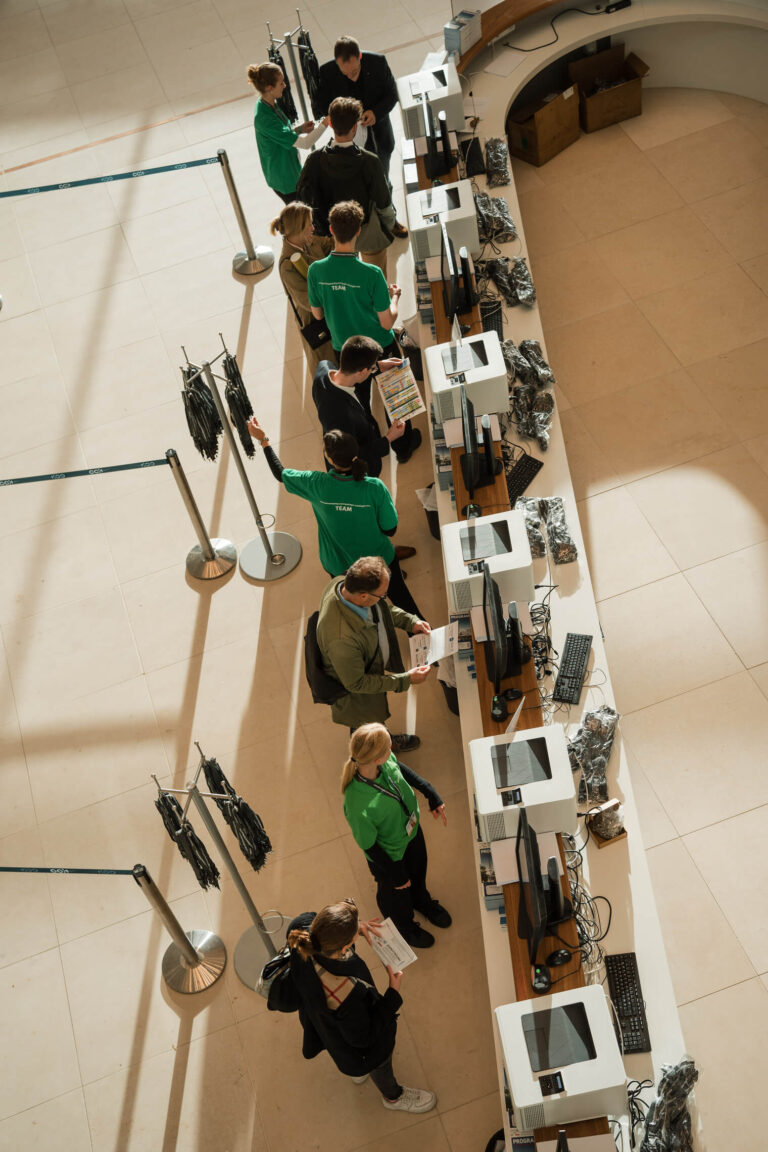
“Everyone’s finally here together—let’s take some new staff photos right away.” You’ve probably heard this request before. It comes from the CEO, the marketing department, or the communications team. It lands on your desk because you’re organizing the event. And then you’re expected to coordinate this on top of everything else.
The honest answer: It’s possible. But not the way most people imagine.
The difference between usable portraits—the kind that end up on websites and LinkedIn profiles—and photos that get tossed in the trash rarely comes down to the photographer. It comes down to planning—specifically, whether the conditions on the day of the event are right. That’s exactly what this guide is all about.
Key Points at a Glance
- Employee portraits taken at the event are an asset to the company—not just a freebie for guests. The photos must be of high enough quality to be featured on the website and LinkedIn.
- At least five minutes per person is a realistic estimate. The technology can handle more, but people can’t.
- A quiet side room with adjustable lighting beats any lobby. Sunlight is the most common stumbling block.
- An electronic booking system makes your job as an event manager easier than any other organizational measure.
- Obtain employees’ consent to publication before the event, not on-site.
What Sets Employee Photos Taken at an Event Apart from Regular Employee Photos
Taking employee photos at an event is a special case. You take advantage of an occasion when everyone is already on site to shoot portraits at the same time. This works especially well at conferences, seminars, conventions, and meetings where an event photographer has already been booked. It saves time and effort. However, it also comes with conditions that a normal studio session doesn’t have: time pressure, a distracting program, inappropriate clothing, and employees in an event mood rather than business mode.
Here’s what this is all about: photos that your company plans to use for years on its website, in email signatures, and on LinkedIn. That’s why the bar is set higher than for a quick snapshot taken at a standing table.
For general employee photography not related to events (studio, on-site at the office, outfit consultations), I’ve written a detailed guide to employee photos in Hamburg on my sister site. Here, the focus remains strictly on events.
When It’s Better Not to Award the Contract
Not every event is suitable for portraits. If the conditions aren’t right, you’ll end up with poor-quality photos that no one will use. That’s more expensive than not getting the job at all.
Here’s an example from my experience: An event manager reached out about a summer party. The outside temperature was 30 degrees. Employees were in summer outfits, some in shorts. The idea was to capture that on the side. I turned down the job. In that kind of heat, no one feels like doing a photo shoot. Sweaty faces don’t look like professional portraits on a website. It’s nearly impossible to control the light outdoors. And the outfits aren’t suitable for the intended use.
It’s better not to deliver at all than to deliver a poor-quality product. That’s my position. And that’s what I recommend you do, too.
Typical situations in which employee portraits don’t work on the day of the event:
- Outdoor Events in Hot, Windy, or Rainy Weather
- Summer parties, Christmas parties, Carnival events—any occasion where your outfit doesn’t match the website
- 30 or more people during a short lunch break
- Venues without a suitable adjoining room
- Events with no lead time for announcements and GDPR consent
In these cases, it’s better to schedule a separate appointment at the office. It takes longer, costs about the same, and produces better photos.
How many employees can you realistically handle per hour?
The calculation is simple. Number of people times minutes per person. Plus a buffer. A realistic estimate is at least five minutes per person, though it’s often closer to ten.
Technically, it’s possible to do more. I can photograph 20 people in a minute. It’s just that people can’t keep up. They’re the bottleneck, not the camera.
Here’s what actually happens with the lunch break option: One person arrives two minutes late because they still need to use the restroom. The next person runs into a coworker and gets caught up in conversation. Yet another person stops to grab something from the buffet first. The schedule falls apart after the first three slots. If you want to get 30 employees through in half an hour, you’ll need eight photographers. And even then, things get chaotic.
A realistic estimate: ten people per hour with one photographer, if you want to ensure quality. With a dedicated booking slot for each person. No unrealistic expectations.
If you need more, plan for a longer block of time. Or several days. Or have multiple photographers with identical setups so the look remains consistent. This is a matter of effort, not a technical issue.
Which room at the venue works best
A quiet side room with adjustable lighting is the most important factor for taking good portraits at an event. Not the equipment. Not the posing. The room.
What you’re looking for: a side room that no one walks through. Where no one is watching. Where some employees who are camera-shy can settle in undisturbed. It feels different in the lobby. There, coworkers are watching, the atmosphere remains tense, and you can see the result in the photos.
The second point is lighting. Sunlight streaming in through a window is hard to control. As the sun moves, the look changes every 20 minutes. Better: a room where I can control the lighting myself—with my own lamps, without mixed light from three sources.
If you’re planning an event, send the floor plan of the venue in advance. Ten minutes of coordination now will save you an hour of improvisation on the day of the event.
A Fixed Block or Parallel to the Program? The Dual-Function Question
People often suggest, “You’re there as an event photographer anyway. Can’t you take some portraits in between?”
The honest answer: I can only do one thing at a time. If I keep jumping back and forth between the event program and the portrait station, both suffer. The event photography ends up incomplete. The portraits lack attention to detail. It doesn’t help anyone.
What works: a set block of time. One hour, two hours, half a day—depending on the number of employees. During that time, the portrait station is my only assignment. Before and after that, event coverage continues as usual.
The dual benefit still works. You have one appointment instead of two. One trip. One setup. One invoice. But no running back and forth. Instead, a clear separation into time slots.
Once you understand this logic, you’ll be better able to communicate it to your superiors. “We’ll set aside a specific block of time for the portraits, so both parts will run smoothly.” That’s easier to understand than “the photographer will just do it on the side.”
The Staff Scheduling System: The Solution That Takes the Pressure Off You as an Event Manager
This is where you have the greatest leverage personally. Without a scheduling system, you coordinate 30 employees via email, Excel spreadsheets, and verbal reminders. With a scheduling system, you don’t have to coordinate anything.
I offer an electronic booking system that allows employees to book their own time slots. They view the schedule, select an available time slot, and confirm. If they wish, they can receive a reminder shortly before their appointment. The system runs without any action on your part.
Here’s the benefit: You don’t have to call anyone. You don’t have to keep track of a list. On the day of the event, you don’t have to run around trying to figure out who’s still missing. The system shows you who has RSVP’d and who hasn’t. You can then specifically reach out to those who are running late.
How employees benefit: They choose for themselves when to attend. Those who need to leave early book an early slot. Those who want to stay after the keynote book a late slot. This lowers the barrier to participation. It also reduces the number of people who simply don’t show up because they forgot about the event.
That’s not standard practice in the industry. Most providers rely on printed lists and gut instinct. If you hear that and think, “That sounds obvious”—well, it is. Yet hardly anyone does it.
What You Should Communicate to Employees Before the Meeting
Employees who know what to expect come better prepared. Better preparation means better photos. Higher participation rates. Better punctuality.
A quick email a week before the event is enough. Here’s what it should include:
- What the images will be used for. Website? Intranet? Email signature? Press materials? The clearer the purpose, the better employees will adapt.
- What kind of attire is expected: business, smart casual, or industry-specific. If you know this in advance, you won’t show up in shorts and a polo shirt if the photo is going to end up on the careers page later.
- It makes sense to schedule a hair appointment or make sure you look your best on this day. It sounds trivial, but it makes all the difference in the photo.
- Where and when the photo shoot will take place, how long it will last, and who is in charge.
For more detailed outfit tips, please refer to the separate guide, “What to Wear for Employee Photos.” Including a link in your preliminary email will save you from having to answer follow-up questions.
Everyone who participates stands to gain: a professional photo that will last for years. This is an important part of our communication. No one should feel like this is just another mandatory task.
GDPR and Employee Photos at Events: The Two Most Common Mistakes
The legal situation is clear. In practice, however, it is often misunderstood. I’m not a lawyer, but during preliminary consultations, I see the same mistakes time and time again.
Mistake #1: A sign at the event entrance is enough. That’s true for documenting the event. It’s not true for the subsequent publication of employee profiles on the company website or in job postings. These are two different legal processes with two different requirements.
Mistake #2: Obtaining consent on set. On location, the employee is standing in front of the camera, the photographer is waiting, and a line is forming. In this situation, reading a written consent form and signing it in good faith feels like pressure. Data protection authorities see it exactly the same way.
How it works: You obtain written consent before the event, including a clear description of the purpose and an option to withdraw consent. Send it via email, with a reminder one week in advance. Anyone who is photographed on the day of the event has already given their consent by that point. Or they haven’t. In that case, you don’t photograph that person.
A case from 2025 illustrates just how seriously the authorities take this: a 10,000-euro fine was imposed on a small business that had published photos of employees on its website without their consent (source: ratgeberrecht.eu). I cover the legal details and consent templates in depth in the GDPR guide on employee photos.
Option: Headshots as a giveaway for your conference guests
There’s a related use case that has nothing to do with employee photos: free headshots as a giveaway for guests at your conference or meeting. A dedicated booth with a simple setup where attendees can pick up a professional profile photo. The cost is covered by the organizer or a sponsor.
The logic here is different from that used for employee portraits. Here, volume matters more than depth. Three to four minutes per person is enough, because the photo is a gift, not a company asset. Delivery is handled via a QR code at the booth: scan the code, enter your email address, and the photo will arrive in your inbox the same day or the next day.
What this version does:
- Added value for participants — many arrive with an outdated LinkedIn profile picture and are happy to take a new one home
- High foot traffic — the headshot area is often the most popular spot, next to the catering and registration areas
- Sponsor Integration — Logo on the gallery page, in the email containing the image, and optionally in the image caption
- Lead Capture — via the email address for image delivery
If you’d like to get a quote for your conference, just provide the number of attendees, the event duration, and your desired sponsorship options.
How much does that cost?
An honest answer: It depends. A package chart wouldn’t apply to your situation.
Factors that determine the price: Number of people. Duration of the session. Travel to the location. Whether I’m also booked as an event photographer or am coming solely for the portraits. Space constraints. The desired number of photos and level of retouching.
Getting both event photography and employee portraits on the same day is more cost-effective than scheduling two separate appointments. One trip, one setup, one invoice. That’s the most common reason why event managers request this service in the first place.
All it takes is a quick inquiry with three details to get a specific quote: how many people, the date, and the location. Based on that, I’ll put together a proposal for you that clearly outlines what you’ll receive and how much it will cost.
Frequently Asked Questions
How long does an employee profile take to complete during a conference?
At least five minutes per person, often closer to ten. The camera could go faster, but the employees need a moment to settle in, get comfortable, and find their pose. For photos that will later appear on the website, this time is well worth it. You can tell right away when photos are rushed off the assembly line in two minutes.
How many employees can you hire per hour?
With one photographer and a focus on quality: about ten people per hour. With a booking system and slots without long breaks, the number goes up to twelve. You can accommodate more if you book two photographers with identical setups. The consistent look is maintained, and the throughput doubles.
Which room is best suited for the event?
A side room that people don’t walk through, with adjustable lighting. No foyer, no main hall, no lobby with large sunlit windows. Hotel suites, backstage areas, small conference rooms, or artists’ dressing rooms usually work well. In most larger event venues, you can find a suitable room if you ask early enough.
Do I need GDPR consent for photos of employees taken at a company event?
Yes, and that means written consent from each employee, which must be obtained before publication. A sign at the entrance is sufficient for event documentation, but not for employee portraits that will later be used on the website or in job postings. Obtain consent before the event, not on set.
Do you also offer headshots as a freebie for conference attendees?
Yes, that’s a separate service. At conferences or meetings, I set up a headshot booth where attendees can get a professional profile photo for free. It takes three to four minutes per person, and the photos are delivered via email using a QR code. The cost is covered by the organizer or a sponsor, who in return gets logo placement in the gallery.
Can you deliver event photos and employee portraits on the same day?
Yes, in a dedicated block for the portraits, separate from the event coverage. Jumping back and forth doesn’t work—it hurts both. Clearly separated time slots are the solution. This saves you from having to schedule a second appointment without sacrificing quality.
Conclusion
Taking photos of employees at the event is possible. But it’s not a sure thing. What makes the difference isn’t the camera. It’s the venue, the scheduling, and how you communicate with your employees. And a booking system that takes the coordination off your hands.
Planned, not improvised. Calm, not hectic. Asset, not goodie.
If you’re planning an event in Hamburg and would like to include employee portraits, just send me a quick inquiry. Provide three details (number of people, date, location), and I’ll get back to you with a specific proposal.